
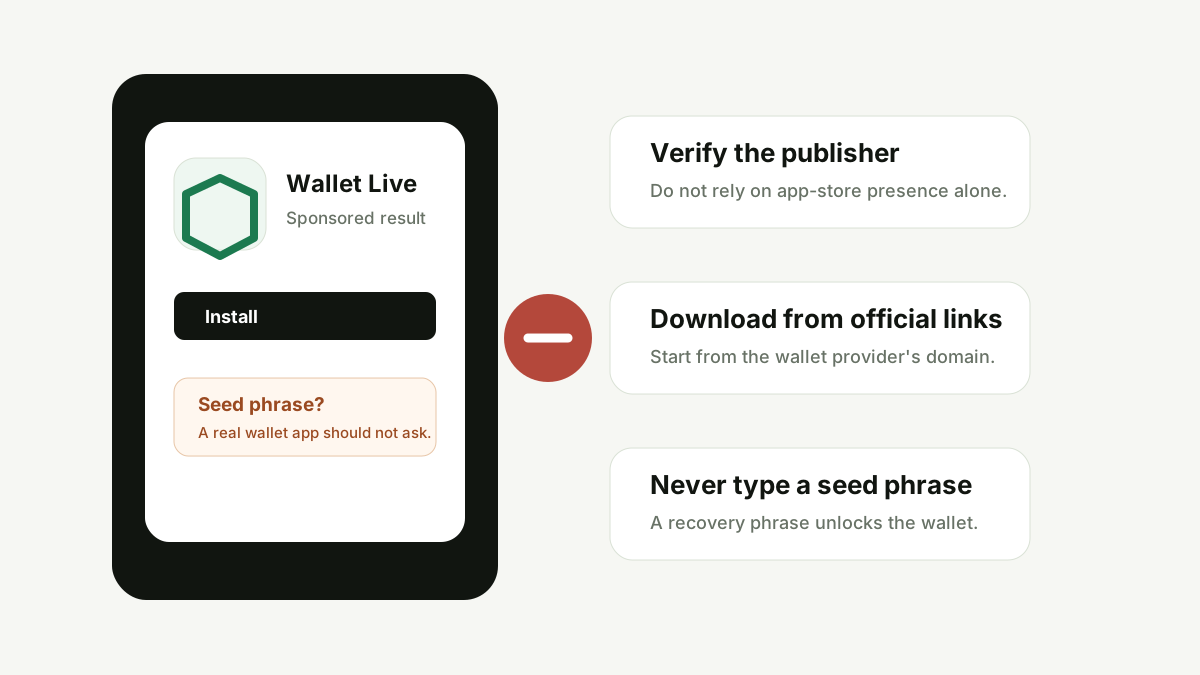
TLDR summary
Fake crypto wallet apps are one of the clearest security stories of 2026: attackers can imitate trusted wallet brands, appear in places users assume are safe, and use seed phrase prompts or external phishing pages to drain funds. App-store presence is a useful signal, but it is not enough. Start from the wallet provider's official domain, verify the publisher, avoid sponsored lookalikes and never type a recovery phrase into an app you have not independently verified.
Key takeaways
- Official app stores reduce risk, but they do not remove the need for crypto-specific verification.
- Seed phrase prompts are the highest-risk moment in any wallet setup flow.
- Fake apps often copy names, icons, screenshots and onboarding language from real wallet brands.
- The safest download path usually starts from the official wallet website, not search ads or app-store search alone.
- Use a separate browser bookmark and a small test wallet when exploring new tools.
Why this topic is trending
Security researchers and crypto investigators have reported multiple fake-wallet incidents in recent weeks. One widely discussed case involved a fraudulent Ledger Live listing connected to about $9.5 million in reported losses across more than 50 victims. Kaspersky also reported a group of 26 fake crypto wallet apps that mimicked known brands and redirected users toward wallet-stealing flows.
The important lesson is broader than any single app store or brand. Crypto wallets hold direct signing power. If a user enters a seed phrase into the wrong app or signs the wrong request, there may be no chargeback, password reset or support desk that can reverse the transaction.
How fake wallet apps usually work
A fake wallet app tries to look boring and official. It may use a familiar icon, a trusted brand name, a similar publisher name, polished screenshots and language copied from the real wallet. After installation, the attack usually moves toward one of three outcomes: seed phrase collection, malicious transaction signing, or redirection to a phishing website.
The most dangerous version asks the user to “restore” a wallet by entering 12, 18 or 24 recovery words. A recovery phrase is not a login code. It is the master key. Anyone who receives it can import the wallet elsewhere and move assets without needing the original device.
Decision checklist before installing a wallet app
| Check | Why it matters | Safer action |
|---|---|---|
| Official source path | Search results and ads can lead to lookalike apps. | Start from the wallet provider's official website and follow its app links. |
| Publisher name | Fake apps may use similar names but different developer accounts. | Compare publisher details against the provider's official documentation. |
| Recovery phrase prompt | Typing a seed phrase into a fake app gives full wallet control away. | Stop if the prompt is unexpected. Verify from a second trusted source. |
| Reviews and timing | New apps can collect fake reviews or change behavior later. | Look for long-term reputation, official announcements and security notices. |
| External links | Some apps redirect to phishing pages after appearing harmless. | Check the final domain before entering any wallet data. |
Red flags that deserve a pause
Be cautious if a wallet app appears only through an ad, uses a slightly different brand name, has a new publisher account, has very few old reviews, asks for a seed phrase immediately, promises urgent migration, or sends users to an unrelated domain. None of these signals proves fraud by itself, but several together create a high-risk pattern.
What a legitimate wallet flow should feel like
A legitimate wallet app should make recovery phrase handling feel serious and slow. It should explain that recovery words are private, warn users not to share them and provide clear links to official help pages. If the app treats the seed phrase like a casual login field, that is not normal security posture.
Use the CryptoGuide Trust Checker as a first pass
If a wallet app points to a domain, paste that domain into the Crypto Trust Checker. The checker can help you review pattern-based risk signals, known platform profiles and data-source availability. It is not proof of safety, but it can help you slow down before installing, connecting or entering sensitive information.
Sources and further reading
- Kaspersky: 26 fake crypto wallet apps found on Apple's App Store
- The Block: Fake Ledger app linked to reported $9.5M theft
- SecurityWeek: Dozens of malicious crypto apps land in Apple App Store
- BleepingComputer: crypto-stealing wallet apps in China's Apple App Store
FAQ
Can a fake crypto wallet app appear in an official app store?
Yes. App-store review reduces some risk, but recent security reports show fake or malicious crypto wallet apps can still appear. Treat app-store presence as one signal, not a guarantee.
Should a wallet app ask for my seed phrase during setup?
Only a verified official wallet should ever be used to restore a wallet. A surprise recovery phrase prompt, especially after installing from a search result or ad, is a high-risk signal.
What is the safest way to download a crypto wallet app?
Start from the official wallet provider website, follow its verified app-store links, check the publisher, avoid ads or lookalike names, and never enter a recovery phrase into an app you have not verified.
Conclusion
The safest crypto habit is to treat installation as part of custody. Before you install a wallet, verify the source. Before you restore a wallet, verify the app. Before you sign, verify the request. A few extra minutes can matter more than any feature in the app itself.