
TLDR summary
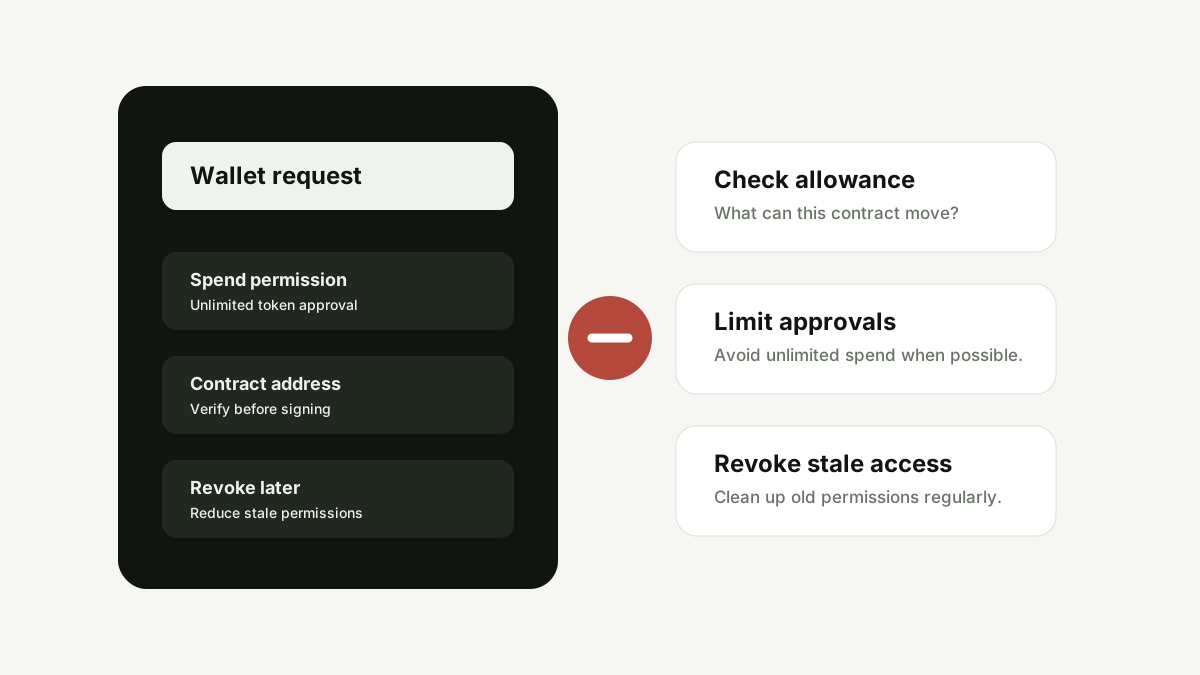
Wallet drainer risk comes from approvals and signatures that grant a contract permission to move tokens or perform actions. Before signing, check the domain, contract, requested permission, token allowance and whether the action matches what you expected. Revoke old approvals regularly.
Key takeaways
- A wallet popup is a security decision, not a formality.
- Unlimited token approvals can create long-lived risk after you leave a site.
- Fake claim pages and phishing domains often request permissions unrelated to the promised action.
- Use a separate wallet for experiments and revoke stale approvals.
What is a wallet drainer?
A wallet drainer is a malicious workflow designed to move assets from a user wallet after the user signs an unsafe transaction, approval or message. It can be hidden behind fake airdrops, NFT mints, support tools, trading bots, token claim sites or copied DeFi interfaces.
Why approvals matter
Many tokens use approval permissions so a smart contract can move tokens on behalf of a wallet. This is normal in DeFi, but unlimited or unexpected approvals can become dangerous if the contract is malicious or later exploited.
Signing is not always harmless
Some signatures are simple login messages, while others can authorize actions or enable future transactions depending on the chain and standard. If the wallet message is hard to understand, treat that as a signal to slow down and verify the context.
How drainers create urgency
A drainer page may promise a limited airdrop, urgent migration, bonus allocation, support unlock or refund. The goal is to make the user connect quickly and approve without reading the wallet prompt.
Practical prevention
Use bookmarks for trusted apps, separate wallets for experiments, hardware wallets for larger balances, transaction simulation where available and approval review tools after interacting with new contracts.
Comparison table
| Approval signal | Risk question | Safer action |
|---|---|---|
| Unlimited allowance | Can this contract spend all tokens of this type? | Limit approval if possible or avoid the interaction. |
| Unknown contract | Do I know who deployed it and why? | Verify through official docs and explorers. |
| Mismatch with action | Why does a claim page need spend permission? | Reject and investigate. |
| Old approvals | Can inactive apps still access tokens? | Review and revoke stale permissions. |
Practical verification flow
- Start with the exact domain or wallet request.
- Check whether the action matches what the page promised.
- Look for transparent documentation, fees, support and risk disclosures.
- Search for independent reports before sending funds or signing approvals.
- If risk signals remain, stop and use a safer route.
FAQ
Can a wallet be drained without seed phrase theft?
Yes. Unsafe approvals or malicious signatures can let a contract move assets without the attacker knowing the seed phrase.
Should I revoke every approval?
Not necessarily. Active DeFi positions may need permissions. The goal is to remove stale, unknown or overly broad approvals.
Is a hardware wallet enough?
A hardware wallet helps protect keys, but it cannot save a user from approving a malicious transaction. You still need to verify what you sign.
Conclusion
Security checks are most useful when they become a habit. Slow down before signing, logging in or depositing, and use trust signals as a research workflow rather than a single yes-or-no answer.